Scrolling through Instagram, I stumbled upon a business that caught my eye, but I hesitated. What if booking it was a hassle?
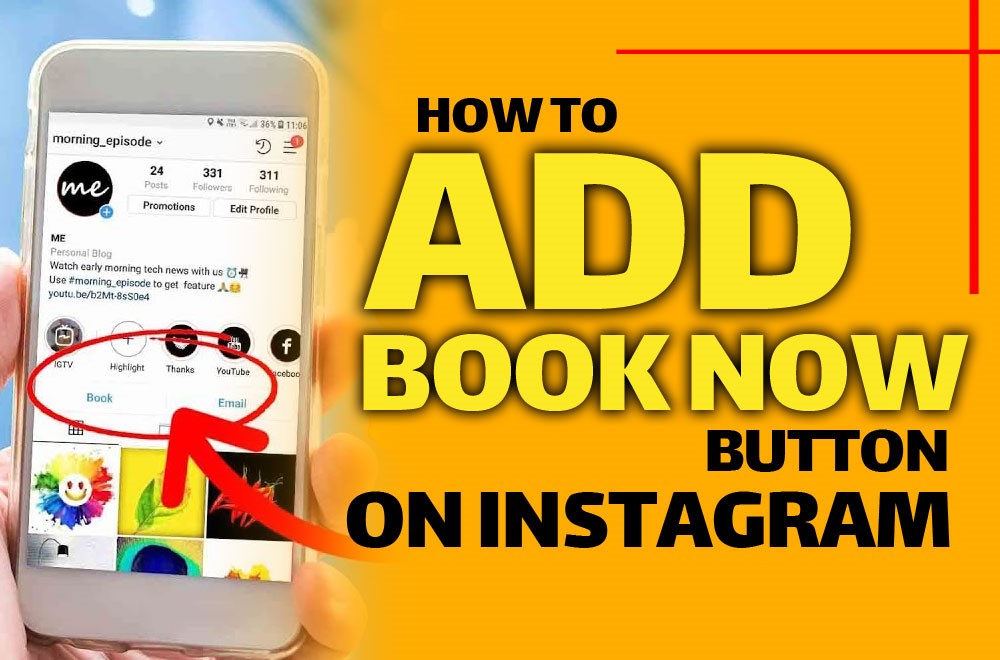
I asked myself how easy it would be if I could simply add a ” book now button on Instagram. With a single tap, I could secure my spot without leaving the app, and it felt almost magical.
I realized then how many opportunities businesses miss when they don’t make booking effortless. Think of turning every curious browser into a paying client in seconds.
In this guide, I’ll show you how I transformed my Instagram profile into a seamless booking hub, and how you can do it too.
Before users click the “Book Now” button, you can grab their attention by sharing engaging videos or stories from others. Use Hub Downloader Instagram tools to save inspiring content and use it in your stories or posts.
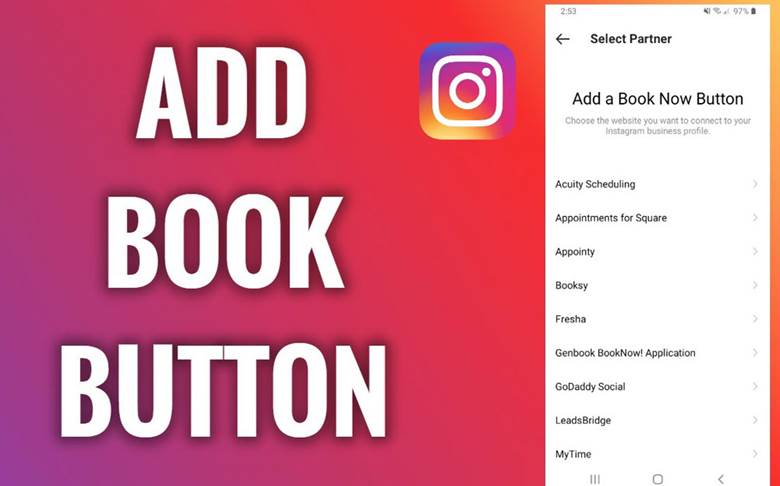
Why the Book Now Button on Instagram Matters?
Learning how to add a book now button on Instagram can completely change the way clients interact with your business.
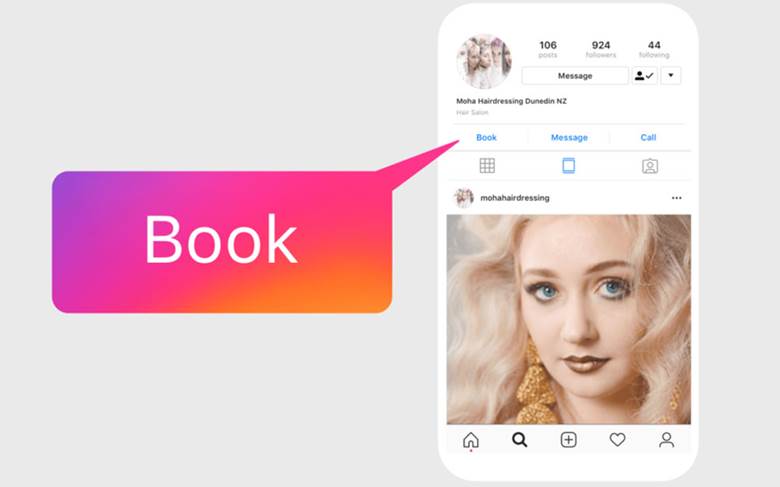
I’ve been on both sides, scrolling as a client and managing my own business. What stood out immediately was the difference in experience between businesses with and without the book now button on Instagram.
Those without it lost potential clients because the booking process felt complicated. With it, clients could book instantly, reducing friction and increasing trust.
For businesses offering services like salons, spas, fitness classes, coaching, or consulting, this feature is transformative. Not only does it improve the user experience, but it also increases your conversion rate. Every tap saved is a potential appointment gained.
Consider that if you want your “Book Now” button to be seen, and every click to convert into a booking. Get help from smart hashtags! Discover the best hashtag generators for Instagram that are the key to your goal.
Ways to Set Up Your Book Now Button on Instagram
Adding the reserve now button on Instagram may seem daunting at first, but breaking it into clear steps makes the process simple and manageable. Each stage plays a key role in turning your profile into a seamless booking hub.
Before all tips and data to keep your business profile always up-to-date and attractive, and your customers don’t miss out on any new Instagram features in 2025, in addition to this feature.
Follow the steps below to ensure everything is set up correctly:
1. Switch to a Business or Creator Account
Before anything else, ensure your Instagram account is ready for action buttons. Without this, adding the book now button on Instagram isn’t possible.
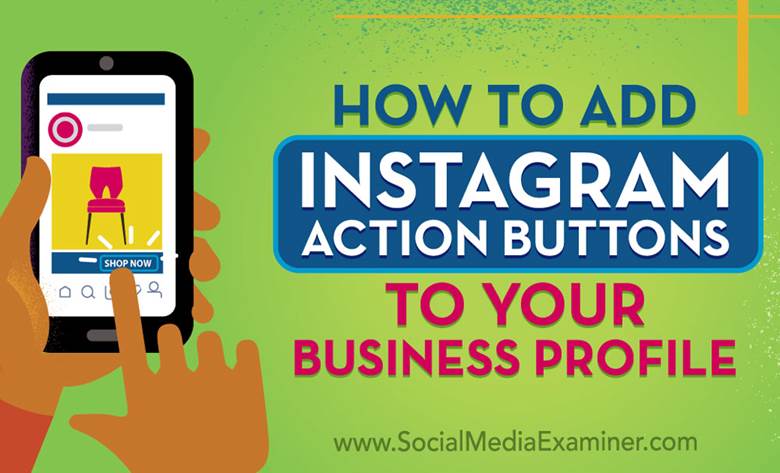
Switching to a professional account unlocks powerful tools that can turn casual followers into paying clients. You can also add the following action buttons while setting up your professional profile.
Here’s what I did:
- Open your profile and tap Edit Profile.
- Under Account, select Switch to Professional Account.
- Choose your business category; mine was “Health & Wellness.”
- Follow the steps to complete the transition.
Read more: Want to make bookings not only easy with a “Book Now” button, but also so customers know exactly where to go? Create a transparent and professional experience by adding a custom location on Instagram. A full guide is available for you.
.
2. Connect to a Scheduling Platform
To streamline bookings, the first step is to add a ” book now button on Instagram. Instagram itself doesn’t process bookings. That’s where third-party platforms come in.
I experimented with several before finding what worked best for my business. Some popular options include:
- GlossGenius: Perfect for salons and personal services.
- Vagaro: Excellent for fitness studios and wellness centers.
- Acuity Scheduling: Ideal for coaching and consulting services.
Once you select your platform:
- Go to your Instagram profile.
- Tap Edit Profile > Action Buttons > Add an Instagram Action Button.
- Choose your scheduling platform from the list.
- Log in and authorize Instagram integration.
3. Customize Your Booking Settings
Here’s where the magic happens. Simply having the button isn’t enough; you need it to work smoothly. With these adjustments below, the book now button on Instagram became a fully functional booking system, saving me hours of back-and-forth communication.
I configured:
- Working Hours: Accurate availability reduces cancellations and double bookings.
- Services Offered: Clearly list each service so clients know what they’re booking.
- Payment Options: Some clients prefer online payment, others in-person. Offering both increases bookings.
- Cancellation Policy: Transparency builds trust and avoids misunderstandings.
Read more: Do you like your followers to know at a glance how to book before they do anything? By enabling Notes on Instagram, you can leave a short, engaging message and direct them to the booking.
4. Promote the Button Strategically
Once you add the ” book now button on Instagram, having it is one thing, but getting clients to use it is another. Promoting the button ensures the Instagram appointment button doesn’t go unnoticed and actively drives appointments.
I found these tactics most effective:
- Highlight in Bio: A simple line like “Book your appointment now!” next to the button works wonders.
- Story Highlights: I created an Instagram call-to-action button in the story showing how easy it is to schedule.
- Post Call-to-Actions: I added captions like “Tap the button in our bio to reserve your spot!”
- Pin a Post: Pinning a post about booking keeps it visible for anyone visiting your profile.
The practical note is to ask yourself whether you want to make sure your old posts are still available before followers click the “Book Now” button. So, you should get data about Is There a Way to See Your Old Deleted Instagram Posts?
Troubleshooting Common Issues with the ” Add Now Button on Instagram
Even after following all the steps, problems can arise. Most of these fixes will get your Instagram scheduling button working perfectly. Here’s what helped me:
- Check Account Type: Make sure your Account is a professional account.
- Verify Platform Integration: Ensure your scheduling app is properly connected.
- Update Apps: Instagram and your scheduling platform should always be updated.
- Clear Cache / Reinstall App: Sometimes, simple resets solve display glitches.
- Contact Support: If all else fails, reach out to Instagram or your platform’s customer service.
Read more: It’s not enough to just have a button to get more bookings; growing your Instagram account quickly will also help you get more posts and engagement. Read practical tips and enjoy your success.
Advanced Tips to Maximize Bookings on Instagram
Once you add the ” book now button on Instagram and it is active, there’s more you can do to boost its impact. Small strategic actions can significantly increase engagement, improve client experience, and help your business stand out.
Integrating these strategies ensures your Add a free ‘Book Now’ button to Instagram is not just functional, it’s a powerful client-attracting tool.
- Track Analytics: I monitored how many clicks converted into bookings—insight is key.
- Offer Promotions: First-time client discounts via Instagram increased engagement.
- Update Availability Regularly: I kept my calendar current to avoid frustration.
- Follow Up with Clients: Confirmation messages reinforce professionalism and reduce no-shows.
In the end, to increase bookings and engagement with the “Book Now” button, be sure to organize your posts and Reels. Know when and how often to post Reels to attract more visitors, and also do not miss the chance of hashtags for small businesses at all.

Conclusion
Learning how to add a book now button on Instagram transforms your profile from a simple showcase into a powerful client-attracting tool. It streamlines bookings, saves time, and enhances the overall experience for your clients. By following the steps and tips shared, you can turn casual browsers into loyal clients with ease.
Let’s have a talk! Have you tried adding a booking button on Instagram yet? Share your experience below! What’s stopping you from turning your followers into paying clients? Let us know! Don’t wait, make your Instagram profile a seamless booking hub starting now!
What types of Instagram accounts can add a book now button?
Only professional accounts (Business or Creator) can add the book now button on Instagram. Personal accounts need to switch to a professional profile first.
Which scheduling platforms work with Instagram’s Book Now button?
Popular platforms include GlossGenius, Vagaro, and Acuity Scheduling. These integrate directly, making bookings seamless for clients.
Can clients book appointments without leaving Instagram?
Yes! The book now button allows users to select a service, choose a time, and confirm the booking entirely within the app.
How can I ensure my booking button gets noticed by followers?
Promote it in your bio, stories, posts, and pin a dedicated post. Clear visibility encourages more users to click and book.
What should I do if the button isn’t showing on my profile?
Check your account type, ensure the scheduling platform is connected, update your apps, and contact support if necessary.