The first time I tried to add custom location on Instagram, it felt like unlocking a hidden door. I wanted my small art studio to appear on the map, not just as a dot, but as my place. I searched, scrolled, and found nothing.
That’s when I realized it’s not about luck; it’s about knowing the hidden steps. Creating your own spot turns an ordinary post into something unforgettable. And if you’re ready to make your mark, keep reading… because your custom pin is waiting to be discovered.
Want to never miss a moment on Instagram? With Hub Downloader Instagram tools you can save your favorite videos, stories, and reels in seconds and always have them with you.
Why You Should Add Custom Location on Instagram for Maximum Visibility?
In the fast world of social media, location tags work like digital signposts. When you add a custom place tag on Instagram, you give your posts a visible identity that attracts new eyes. It boosts discoverability, adds authenticity, and even strengthens your brand.
If you own a café, salon, or local store, a branded Instagram location makes your spot searchable and memorable. And if you just want to make your own Location on Instagram for fun, you can name your couch “Nap Headquarters” or your kitchen “Chef’s Kingdom.” Either way, you’re adding personality to your posts.
Read more: Think of connecting with your friends quickly and engagingly? Another new feature is Instagram Notes, which allows you to send short, creative, and memorable messages. This tool, along with other fun Insta features, will make your experience different!”
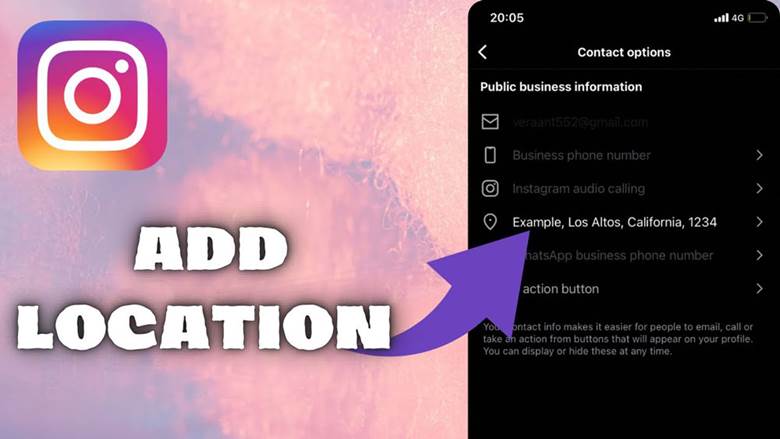
Methods to Create and Use Your Custom Location
There are several effective ways to add custom location on Instagram, whether for personal use or for your business. Below, we’ve broken down the process into clear steps that guide you. Follow these methods carefully to ensure your new spot appears correctly and becomes searchable.
1. Create Custom Location Via Facebook
To create custom location through Facebook, open the Facebook app, tap “What’s on your mind?” and choose Check In.
- Turn on your device’s location services.
- Scroll to Add a New Place on Instagram. You’re now ready to add a new location on Instagram indirectly.
- Fill out the name, address, and choose a category.
- If this is for your business, this also helps you learn how to register a business location on Instagram and link it later.
- Tap Save Custom Place and wait a few hours for it to sync with Instagram.
Sometimes, you might notice your tag isn’t appearing right away; that’s the Instagram location tag not showing problem. Don’t panic! Facebook data usually takes time to propagate across Instagram servers.
2. Wait for Activation
After saving your place, open Instagram and search for it. If you can’t find it yet, it could be one of two reasons:
- The Location is still syncing.
- You need to adjust the category or location range.
This small delay is normal and not a permanent error; it’s often called an Instagram location not found fix moment.
3. Add It to Your Posts and Stories
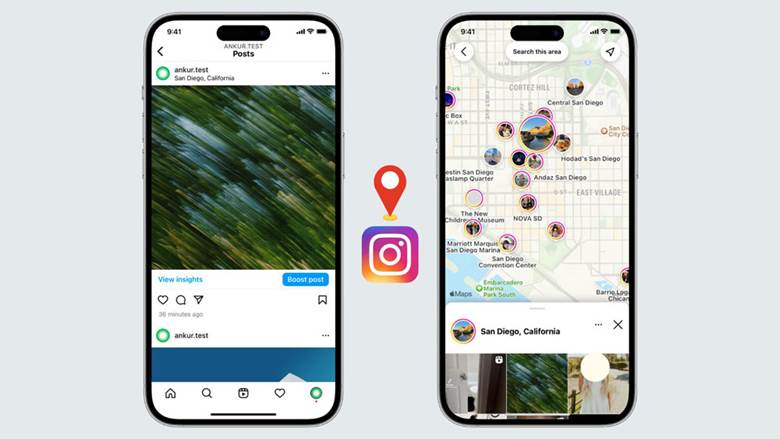
Once your place appears, you can now learn how to tag your own place on Instagram. When creating a post, tap Add Location, type your new name, and choose it. You can also set up custom location for Instagram posts in Stories using the location sticker.
From here, you’re officially part of the creative map. You can now add custom location on Instagram anytime you share new content.
Read more: Another Instagram feature if you want customers to book appointments with just one tap is Book Now button on Instagram. Take your business to the next level and create a fast and professional experience for your followers now.
Creative and Funny Instagram Location Tags
Want to stand out even more? Try to create a custom Instagram location tag that’s memorable. Some users love to know how to make funny custom locations on Instagram like “Planet of Deadlines” or “Wi-Fi Heaven.” It gives your posts humor and personality.
You can also create a location name for Instagram that reflects your lifestyle or brand. For instance, a coffee shop might use “The Daily Brew,” while a photographer could use “Captured Moments Studio.”
If you run a business, creating a branded location on Instagram is a clever way to boost brand recall. Every time customers tag your Location, it promotes your brand organically. And if you’re brainstorming, look up Instagram location tag ideas; a little creativity goes a long way!
Add a Custom Location on Instagram to Promote Your Brand
When you add a custom location on Instagram for your brand, you’re doing more than just pinning a map; you’re anchoring your business in digital geography. Think of it as free local SEO inside Instagram.
Use this opportunity to promote special events, store launches, or pop-ups. Combine your tag with campaign names for even stronger branding. This method is a perfect example of a custom Instagram location for business success.
Tips for Adding Custom Location on Instagram Successfully
There are a few clever tricks to make sure your tag shows up correctly. Following these ways to add personalized Location on Instagram helps ensure your tag becomes active quickly and stays visible.
- Always make the tag on Facebook first, since Instagram pulls its location data from there.
- Avoid duplicate names; unique ones sync faster.
- Encourage friends and customers to use your tag often. The more it’s used, the more visible it becomes.
- If something goes wrong and you’re trying to figure out how to add a missing Location on Instagram, simply delete and recreate it with a small name variation.
At last, if you are curious to know what surprises Instagram has in store for you in 2025? Take a look at Instagram’s new features in 2025 and learn about its latest exciting features and tools.
Final Thoughts
Adding your own tag is more than a trick; it’s storytelling. Every time you add custom location on Instagram, you claim a piece of the digital map. Whether branding a business or just having fun, your Location becomes a digital footprint connecting your world to others. So go ahead, name your favorite corner, your cozy café, or your big dream.
We want to hear from you! What’s the first custom location you’d love to add on Instagram? Comment below and let us know, your pin could inspire the next big trend! Have you ever tried to create your own Location on Instagram? Tell us about your experience, let’s see whose location idea is the most creative!
Can I add a custom location on Instagram without Facebook?
No, Instagram relies on Facebook’s database for locations. To create a new spot, you must first add it through the Facebook app.
How long does it take for a new location to appear on Instagram?
It usually takes a few hours, but sometimes up to 24-48 hours for the Location to sync and become searchable.
Can multiple businesses use the same custom location?
Yes, but it’s best to create a unique name to avoid confusion and ensure your business stands out on the map.
What should I do if my custom location doesn’t show up after syncing?
Check your GPS, make sure the category is correct, and try refreshing Instagram. Small adjustments usually solve the problem.
Are there limits to how many custom locations I can create?
Instagram itself doesn’t impose strict limits, but each new Location must be created via Facebook and properly verified to appear correctly.