
Ever opened Instagram and felt overwhelmed by endless account suggestions? If you want to stop suggestions on Instagram, you’re not alone. You follow one friend, and suddenly your feed is flooded with profiles of people you don’t know or care about.
Suggestions can be helpful for discovering new accounts, but sometimes they feel invasive or just plain annoying. In 2025, Instagram’s algorithm is more sophisticated than ever, learning from your interactions, location, and even your search history.
Don’t worry, this guide shares the most practical, tested ways to take back control and make your feed exactly how you want it.
Before anything and in the first step, pay attention that to save other people’s stories or reels without any hassle, you don’t need to worry, and with the help of the Hub Downloader Instagram tools, you can have any content in seconds.
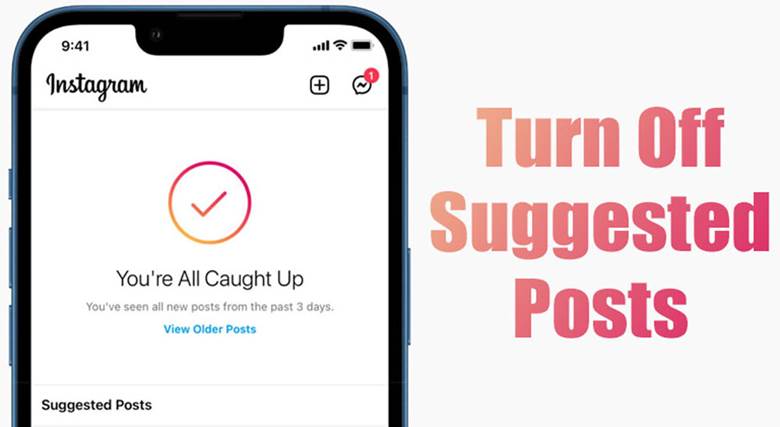
What Are Instagram Suggestions and How to Stop Them?
Instagram suggestions are part of the platform’s recommendation system. They appear in multiple places: under “Discover People,” in your feed, when you follow someone new, and even on your profile. These suggestions are generated by a complex algorithm that uses multiple signals.
While these features can be useful for networking, they sometimes clutter your feed or introduce unwanted accounts that cause you to stop suggestions on Instagram:
- Search History: Accounts you recently searched for may reappear as suggestions.
- Mutual Followers: Instagram notices if you share followers with someone and recommends that account.
- Phone Contacts: If your contacts are on Instagram, they may be suggested.
- Behavior and Activity: Likes, saves, and follows influence what Instagram thinks you’ll enjoy.
- Location: Instagram can recommend nearby users based on your device’s location.
- Connected Social Accounts: Linking Facebook or other Meta platforms may trigger suggestions.
- Hashtags: Following specific hashtags may lead to accounts using similar tags appearing in your suggestions.
In the middle of this magic topic, it is not bad to have a look at this tip about how stories are still viewable after 48 hours! See how you can track views after the usual deadline.”
(7) Methods to Stop Suggestions on Instagram
If you’re tired of seeing irrelevant accounts pop up constantly, following a step-by-step approach is the best way to regain control. These practical steps cover everything from profile settings to search history, contacts, and feed suggestions.
Keep reading to discover each method in detail and finally disable Instagram recommendations.
1. Turn Off Similar Account Suggestions for Your Instagram Profile
Instagram allows you to prevent your account from being suggested to others. Doing this ensures your profile doesn’t appear in someone else’s “Suggested Accounts” and helps you stop Instagram account from being recommended to them for better privacy control.
- Open Instagram on a desktop browser (Chrome, Safari, or Firefox).
- Go to your profile > Edit profile.
- Uncheck “Include your account when recommending similar accounts people might want to follow.”
- Click Submit to save changes.
2. Remove Unwanted Suggested Accounts
If specific accounts keep appearing in your suggestions and you want them gone, you can remove them manually. Once removed, Instagram does not allow you to undo this action, so choose carefully if you are sure to stop suggestions on Instagram.
- From Profile: Profile > Menu > Discover People > Tap the cross icon next to unwanted accounts.
- From Feed: Tap See All under “Suggested for You” > Remove accounts.
3. Control Suggestions from Search History
Search history heavily influences suggestions. Clearing it regularly can reduce unwanted recommendations. This step helps prevent Instagram from showing repeated suggestions based on past searches.
- Open Instagram and go to Settings > Security > Clear Search History.
- Confirm by tapping Clear All.

4. Manage Contacts and Linked Accounts
Instagram often suggests accounts from your phone contacts or connected social platforms like Facebook. You can control this behavior to stop suggestions on Instagram that come from synced data. This prevents the algorithm from recommending accounts solely based on external connections.
- Navigate to Settings > Account > Contacts Syncing.
- Toggle off Connect Contacts to stop Instagram from using your phonebook.
- Check Linked Accounts under Settings to disconnect Facebook or other platforms if necessary.
5. Control Algorithm-Driven Suggestions
Instagram tailors suggestions based on your likes, follows, and activity patterns. While you cannot completely disable algorithm-driven recommendations, you can influence them to cut down Instagram’s automatic connections that keep suggesting unwanted profiles.
- Avoid interacting with accounts you find annoying or irrelevant.
- Use the Not Interested option when Instagram shows unwanted suggestions.
- Over time, this approach will reduce algorithm-driven suggestions and help you stop suggestions on Instagram more effectively.
6. Stop Suggested Accounts from Your Feed
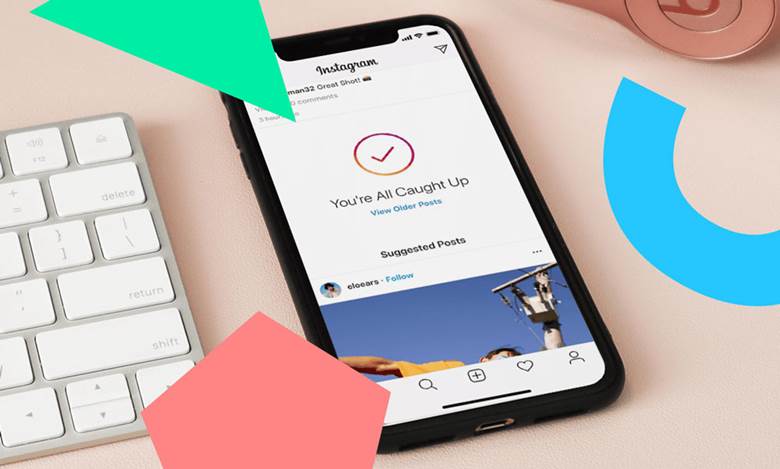
Suggested posts can appear in your home feed, marked as “Suggested for You.” You can hide suggested posts on Instagram without leaving your feed. This method is simple, yet highly effective for keeping your feed relevant.
- Tap the three-dot menu on the top-right of the suggested post.
- Select Not Interested.
- Instagram will show fewer similar suggestions over time.
7. Use Third-Party Tools Carefully
Several tools claim to manage Instagram suggestions, but caution is necessary. Only use trusted applications for cleaning search history or controlling account visibility. Avoid tools that require your password or excessive permissions, as these pose security risks.
A safer approach is to focus on Instagram’s built-in features. Following the above steps consistently is enough to turn off Instagram’s account suggestions once and for all and regain full control over your feed.
Note that if you encounter any issues while using Instagram’s new features, you can check out our complete guide to common Instagram problems and solutions and get quick troubleshooting.
Advantages & Disadvantages of Stopping Instagram Suggestions Feature
Controlling Instagram suggestions can significantly impact your experience on the platform. Knowing the pros and cons helps you make informed decisions about which recommendations to keep or remove.
Below, we explore the key advantages and disadvantages to give you a clear picture before you stop suggestions on Instagram.
Advantages:
- Your feed stays cleaner and more focused on the content you enjoy.
- Avoid spammy or irrelevant accounts popping up repeatedly.
- Enhance privacy and reduce digital clutter.
Disadvantages:
- You might miss discovering new content or accounts aligned with your interests.
- Some features, like networking or finding old friends, become less accessible.
- It may take time for Instagram’s algorithm to fully adapt to your preferences.
In the end, to learn about all the new features Instagram 2025 has to offer, check out the article and take your experience to the next level.”
Conclusion
Taking control of your Instagram experience is easier than you think. By managing search history, contacts, feed suggestions, and profile settings, you can finally stop suggestions on Instagram and enjoy a cleaner, more relevant feed. These steps empower you to curate content that truly matters to you, reduce distractions, and protect your privacy.
Let’s hear from you! Have you tried these methods to control your Instagram suggestions yet? Which type of suggestions annoys you the most, mutual followers or suggested posts? Let us know! Take charge of your feed today and make Instagram work for you. Join the conversation and tell us how stopping unwanted suggestions changed your Instagram experience!
How can I completely stop similar account suggestions on Instagram?
Go to Instagram Privacy settings > Suggestions and turn off “Similar Account Suggestions.” It won’t remove all, but it’ll reduce them a lot.
Why do I still see suggested posts after changing settings?
Instagram updates suggestions from your activity. Clear search history on Instagram and mark unwanted posts as “Not Interested.”
Can I stop Instagram from suggesting my account to others?
Yes. In Edit Profile, uncheck “Show account suggestions on profiles.” This hides you from other users’ suggestions.
Do private accounts still get suggested?
Sometimes, yes, but much less. A private profile limits how often you appear in others’ recommendations.
Will turning off suggestions affect my growth?
Slightly. You’ll get fewer new followers, but your feed and privacy will improve.